JSON Forms
Accurate.Video Validate allows for customization of marker forms using JSON Forms.
On top of the default control formats described in the JSON Forms documentation, we support a few additional control formats.
Additional control formats
Options can be used to change the behaviour of controls. JSON Forms in Accurate.Video Validate
support alternative controls for some data types, the format or the toggle option is used to switch to alternative controls.
Autocomplete
An autocomplete control can be used instead of a dropdown for enum fields by setting the autocomplete option to boolean true.
Example json
{
  "type": "Control",
  "scope": "#/properties/someValue",
  "options": {
    "autocomplete": true
  }
}
Result

Multiselect
A multiselect control can be used for array fields by setting the format option to multiselect. A dropdown with available values will be
displayed when the control has focus if the schema for the array items contains an enum.
Example json
{
  "schema": {
    "type": "object",
    "properties": {
      "assignees": {
        "type": "array",
        "items": {
          "enum": ["Anna", "Bert", "Cris", "Dani"]
        }
      }
    }
  },
  "uischema": {
    "type": "Control",
    "scope": "#/properties/assignees",
    "label": "Assignees",
    "options": {
      "format": "multiselect"
    }
  }
}
Result

Toggle
Instead of the default checkbox component for boolean properties a toggle can be used by specifying the toggle option.
Example json
{
  "schema": {
    "type": "object",
    "properties": {
      "toggle": {
        "type": "boolean"
      }
    }
  },
  "uischema": {
    "type": "Control",
    "scope": "#/properties/toggle",
    "label": "Toggle",
    "options": {
      "toggle": true
    }
  }
}
Result

Textarea
Instead of the default input field, textarea can be used as format in order to render a textarea.
The text area supports maxlength attribute which validates the number of characters used in the textarea.
Example json
{
  "schema": {
    "type": "object",
    "properties": {
      "textarea": {
        "type": "string",
        "maxlength": 16
      }
    }
  },
  "uischema": {
    "type": "Control",
    "scope": "#/properties/textarea",
    "label": "Text area",
    "options": {
      "format": "textarea"
    }
  }
}
Result

Radio
Example json
{
  "schema": {
    "type": "object",
    "properties": {
      "radio": {
        "type": "string",
        "enum": ["Radio 1", "Radio 2"]
      }
    }
  },
  "uischema": {
    "type": "Control",
    "scope": "#/properties/radio",
    "label": "Radio button",
    "options": {
      "format": "radio"
    }
  }
}
Result

Date & Time
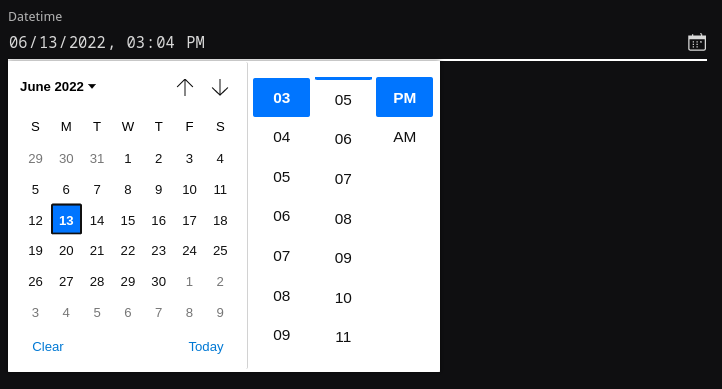
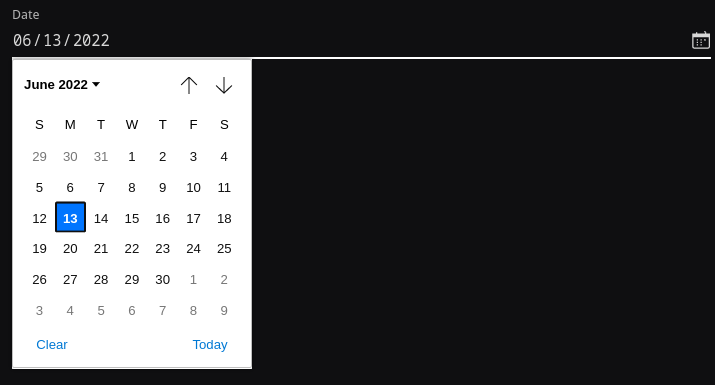
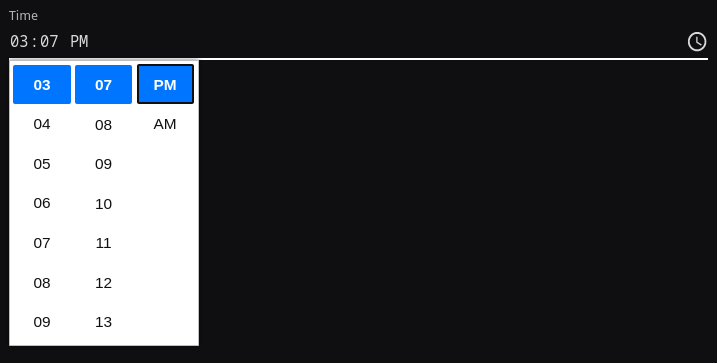
JSON Forms supports JSON Schema's date, time and date-time formats, see Date and Time picker.
Datetime
Example json
{
  "schema": {
    "type": "object",
    "properties": {
      "datetime": {
        "type": "string",
        "format": "date-time"
      }
    }
  },
  "uischema": {
    "type": "Control",
    "scope": "#/properties/datetime",
    "label": "Datetime"
  }
}
Result
Date
Example json
{
  "schema": {
    "type": "object",
    "properties": {
      "date": {
        "type": "string",
        "format": "date"
      }
    }
  },
  "uischema": {
    "type": "Control",
    "scope": "#/properties/date",
    "label": "Date"
  }
}
Result
Time
Example json
{
  "schema": {
    "type": "object",
    "properties": {
      "time": {
        "type": "string",
        "format": "time"
      }
    }
  },
  "uischema": {
    "type": "Control",
    "scope": "#/properties/time",
    "label": "Time"
  }
}
Result
See how JSON forms are configured in the launch template here